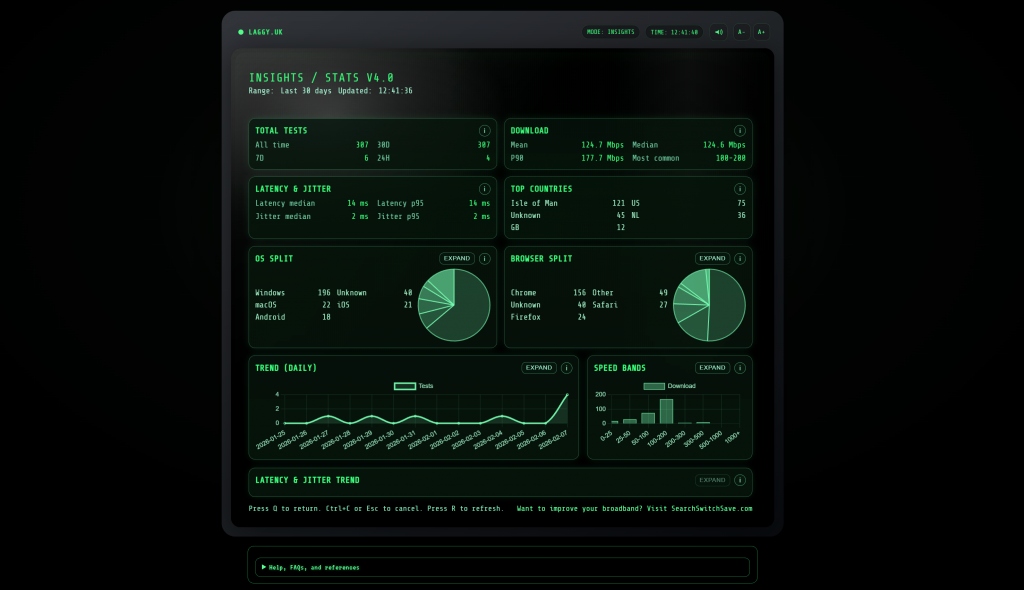
UK broadband performance, measured for real life: speed, latency, jitter, and diagnostics
Laggy.uk is a retro terminal style broadband speed test built to answer the practical question: not just “how fast is my broadband”, but “why does my broadband feel laggy”. It combines throughput (download and upload) with responsiveness (latency, RTT) and stability (jitter), then adds browser-safe diagnostics like HTTPS ping, DNS checks, and TLS certificate summaries. If you are in the UK and you want a fast, clear way to test your connection, capture evidence, and take action, this is it.
Open Laggy.uk Watch the Laggy.uk demo UK broadband industry news
Last updated: 07 February 2026. For UK readers in England, Wales, and Scotland, including homes on full fibre (FTTP), cable, and FTTC, plus remote workers, gamers, and anyone troubleshooting Wi-Fi.
Why Laggy.uk exists, and what makes it different
Many speed tests are built for headline numbers. They can be useful, but they often miss the everyday causes of frustration: call dropouts, jitter spikes, stuttering streaming, slow page loads, and “it was fine a minute ago” moments. Laggy.uk focuses on the measures that explain those problems, then adds diagnostics that help you narrow down the cause.
Capacity
Download and upload speed (Mbps). How much you can do at once.
Responsiveness
Latency, RTT (ms). How quickly it reacts to you.
Stability
Jitter (ms). How consistent that reaction time stays.
Key takeaways (quick)
If broadband feels laggy but speed looks high: measure LATENCY and JITTER first.
If results vary wildly: run SPEED10 and compare peak time vs off-peak.
If one room is worse: it is often Wi-Fi coverage or interference, not your ISP.
If you need support evidence: run SUPPORT then PRINT.
UK context: FTTC can struggle on upload. Cable can suffer peak-time congestion. Full fibre can still feel poor if in-home Wi-Fi is weak. Laggy.uk helps you separate these quickly with repeatable, comparable measurements.
Quick links
Quick routine: run SPEED, then LATENCY, then JITTER. If you need a report, add SUPPORT and PRINT.
Start fast: run the best three commands
This gives you a clear baseline for capacity, responsiveness, and stability. Keep the same sequence each time so your comparisons stay fair.
laggy> speed
laggy> latency
laggy> jitter
When to increase sample size
- For more reliable throughput, use SPEED 5 or SPEED10.
- For a clearer stability picture, use LATENCY 50 and JITTER 50.
- When validating a change, keep the same N each time.
How to make tests fair
- Test near the router, then where you work, stream, or game.
- Pause heavy downloads during latency and jitter testing.
- Repeat on Ethernet if you can, to separate Wi-Fi from line issues.
- Test at peak time and off-peak time, then compare.
If you remember one thing: latency and jitter explain “feel”. Mbps explains “capacity”. Run all three for the complete story.
Laggy.uk commands: full guide
This is a complete, search-friendly command guide. It is written so a reader can scan it, and so AI answers can extract accurate definitions without guessing.
Core commands
| Command | What it does | When to use it | Best tip |
|---|---|---|---|
| HELP or ? | Shows the available commands. | Any time you forget syntax. | Use after updates. |
| INFO | Explains the tool, and the metrics. | When sharing results with others. | Perfect first run. |
| SPEED [N] | Runs speed test N times. | Baseline throughput, upgrade validation. | Try SPEED 5. |
| SPEED10 | Runs the speed test 10 times. | Proving variability. | Best for evidence. |
| LATENCY [N] | Measures RTT latency N samples. | Calls, gaming, VPN, responsiveness. | Try LATENCY 50. |
| JITTER [N] | Measures jitter N samples. | Stability and spike detection. | Try JITTER 50. |
| LOCATION or LOC | Shows or sets town or country. | Context for results. | Set before INSIGHTS. |
| CLEAR or CLS | Clears the screen. | Clean screenshots. | Use before PRINT. |
| PRINT or P | Prints session output. | Sharing results. | Pair with SUPPORT. |
| RESET | Cancels tests, returns to idle. | Stopping a run. | Safe exit. |
Data commands
| Command | What it does | When to use it | Best tip |
|---|---|---|---|
| RANK | Shows benchmark position. | Comparing performance. | Use after repeats. |
| RESULTS | Opens public results. | Benchmarking context. | Control with SHARE. |
| INSIGHTS | Insights by time window or date range. | Trends and patterns. | Use STATS 30D. |
| STATS | Alias of INSIGHTS. | Same as INSIGHTS. | Shortcut command. |
| SHARE ON|OFF | Opt in or out of sharing results. | Public benchmarking or privacy. | Default to OFF. |
| REMEMBER ON|OFF | Saves results locally on device. | Before and after comparisons. | Best for Wi-Fi tuning. |
Diagnostics
| Command | What it does | When to use it | Best tip |
|---|---|---|---|
| PING [host] | HTTPS RTT ping, browser safe. | Test responsiveness to a specific service. | Use a real host you use. |
| IPCONFIG /ALL | WAN summary, browser safe. | Support evidence and context. | Use /ALL for detail. |
| NSLOOKUP host | Nameserver lookup (NS records). | DNS troubleshooting. | Compare with DNS. |
| DNS host | Shows public DNS records. | Verify configuration, diagnose resolution. | Pair with SSL checks. |
| SSL host[:port] | TLS certificate summary. | Warnings, expiry, chain checks. | Set port if not 443. |
Settings and extras
| Command | What it does | When to use it | Best tip |
|---|---|---|---|
| SOUND ON|OFF | Toggles typing sound. | Preference. | MUTE is quicker. |
| MUTE / UNMUTE | Quick sound toggle. | Recording, quiet rooms. | Fast mid-test. |
| CONSENT | Opens privacy settings. | Review opt-in and storage. | Check before SHARE. |
| PRIVACY | Opens privacy page. | Understand data handling. | Good for shared devices. |
| COOKIES | Opens cookies and device storage. | Review local storage. | Relevant if REMEMBER is ON. |
| PROVIDER | Shows network or ISP details. | Support evidence. | Run before screenshots. |
| SUPPORT | Shows session facts and results. | Support report. | Then PRINT. |
| BROWSER | Shows browser and OS info. | Device differences. | Helps spot old drivers. |
| BETTERBROADBAND | Shows comparison site links. | Next step after diagnosis. | Compare options calmly. |
| JOKE / JOKES | UK broadband jokes. | Light relief. | Keep spirits up. |
| FEEDBACK | Opens feedback mail draft. | Report issues, suggest improvements. | Include SUPPORT output. |
Privacy reminder: keep SHARE OFF by default. Review CONSENT, PRIVACY, and COOKIES to understand local storage and opt-in behaviour.
Results: what “good” looks like for UK broadband
“Good” depends on usage, but most frustration comes from instability. Use Laggy.uk to identify whether the issue is capacity (Mbps) or experience (latency and jitter).
If speed is the main issue
- Big households, 4K streaming, and large downloads need more download capacity.
- Video calls, backups, creators, and cameras need strong upload capacity.
- FTTC often feels constrained on upload in busy homes.
If latency and jitter are the real issue
- Gaming, Zoom, Teams, and VPN work rely on low, stable latency.
- Robot voice, stutter, buffering, and dropouts often indicate jitter spikes.
- Wi-Fi interference, router queueing, and peak-time congestion are common causes.
Quick diagnostic rule: if download and upload look healthy but calls or games feel bad, run LATENCY 50 and JITTER 50 and compare Wi-Fi vs Ethernet.
Workflows: run the right commands for your problem
Pick the scenario that matches your symptom. These routines are designed for repeatability, and for easy evidence capture.
Gaming input lag, or “rubber-banding”
laggy> latency 50
laggy> jitter 50
laggy> speed 5
laggy> support
If Ethernet is stable but Wi-Fi spikes, your fix is inside the home.
Video calls drop, stutter, or go robotic
laggy> jitter 50
laggy> latency 50
laggy> speed 5
laggy> support
Jitter spikes often hurt more than a slightly higher average latency.
A website or service feels slow
laggy> ping example.com
laggy> dns example.com
laggy> nslookup example.com
laggy> ssl example.com:443
Replace example.com with the real host you are trying to reach.
Peak-time slowdowns
laggy> speed10
laggy> latency 50
laggy> jitter 50
laggy> stats 7d
Repeat at midday to see if congestion is time-driven.
Evidence: create a clean support report (recommended)
If you want your ISP or employer to take action, provide a consistent session report. Laggy.uk makes this easy.
laggy> location
laggy> provider
laggy> speed
laggy> latency
laggy> jitter
laggy> ipconfig /all
laggy> support
laggy> print
You will know it worked when: you have a single session you can screenshot or share that shows results and context, without rummaging through multiple apps or vague descriptions.
Watch Laggy.uk in action (demo)
Demo video showing the retro UI, example commands, and how quickly you can capture a useful session.
Laggy.uk: retro terminal broadband speed test demo
FAQ: Laggy.uk speed test, latency, jitter, and UK broadband troubleshooting
Direct answers for readers, voice assistants, and AI search. What is Laggy.uk?
Laggy.uk is a retro terminal style UK broadband speed test that measures download speed, upload speed, latency (RTT), and jitter, plus browser-safe diagnostics like HTTPS ping, DNS checks, nameserver lookups, and TLS certificate summaries. How do I run a speed test on Laggy.uk?
Open Laggy.uk, type SPEED, and press enter. SPEED runs 3 tests by default. For more reliability, run SPEED 5, or SPEED10. How do I measure latency (RTT)?
Type LATENCY and press enter. LATENCY uses 25 samples by default. To capture spikes better, run LATENCY 50. How do I measure jitter?
Type JITTER and press enter. JITTER uses 25 samples by default. To capture variability better, run JITTER 50. Why does broadband feel laggy when Mbps looks good?
Because the “feel” depends on latency and jitter, not just Mbps. High jitter spikes can cause stutter, buffering, and poor calls even with strong download speed. Common causes include Wi-Fi interference, router queueing under load, and peak-time congestion. What is the difference between latency and jitter?
Latency is the round-trip time (RTT) to a service and back. Jitter is how much that latency varies. Low jitter usually means a stable experience. How do I test a specific site or service?
Use PING [host] to run an HTTPS RTT ping that works in a browser without ICMP. Test the actual host you use, for example your work portal, a gaming service, or a streaming endpoint. How do I create a support report quickly?
Run LOCATION, PROVIDER, SPEED, LATENCY, and JITTER, then run SUPPORT and PRINT. This creates a tidy session summary you can share. How do I control privacy and sharing?
Use SHARE ON or SHARE OFF to control public sharing. Use REMEMBER ON or REMEMBER OFF for local device storage. Use CONSENT, PRIVACY, and COOKIES to review settings and local storage behaviour.
Useful links
All links open in a new window.
- Laggy.uk retro speed test
- Laggy.uk demo video on YouTube
- SearchSwitchSave.com
- SearchSwitchSave broadband industry news
Suggested hashtags: #ukbroadband #speedtest #wifi #latency #consumertech
Short summary for snippets and sharing
Laggy.uk is a retro terminal style UK broadband speed test that measures download speed, upload speed, latency (RTT), and jitter, plus diagnostics like HTTPS ping, DNS checks, and TLS certificate summaries. If broadband feels laggy even when Mbps is high, measure LATENCY and JITTER, capture evidence with SUPPORT and PRINT, then act: improve Wi-Fi, adjust router settings, or compare better options for your address.
Last updated: 07 February 2026.
Hint: Try this code
INSIGHTS
To load this page: